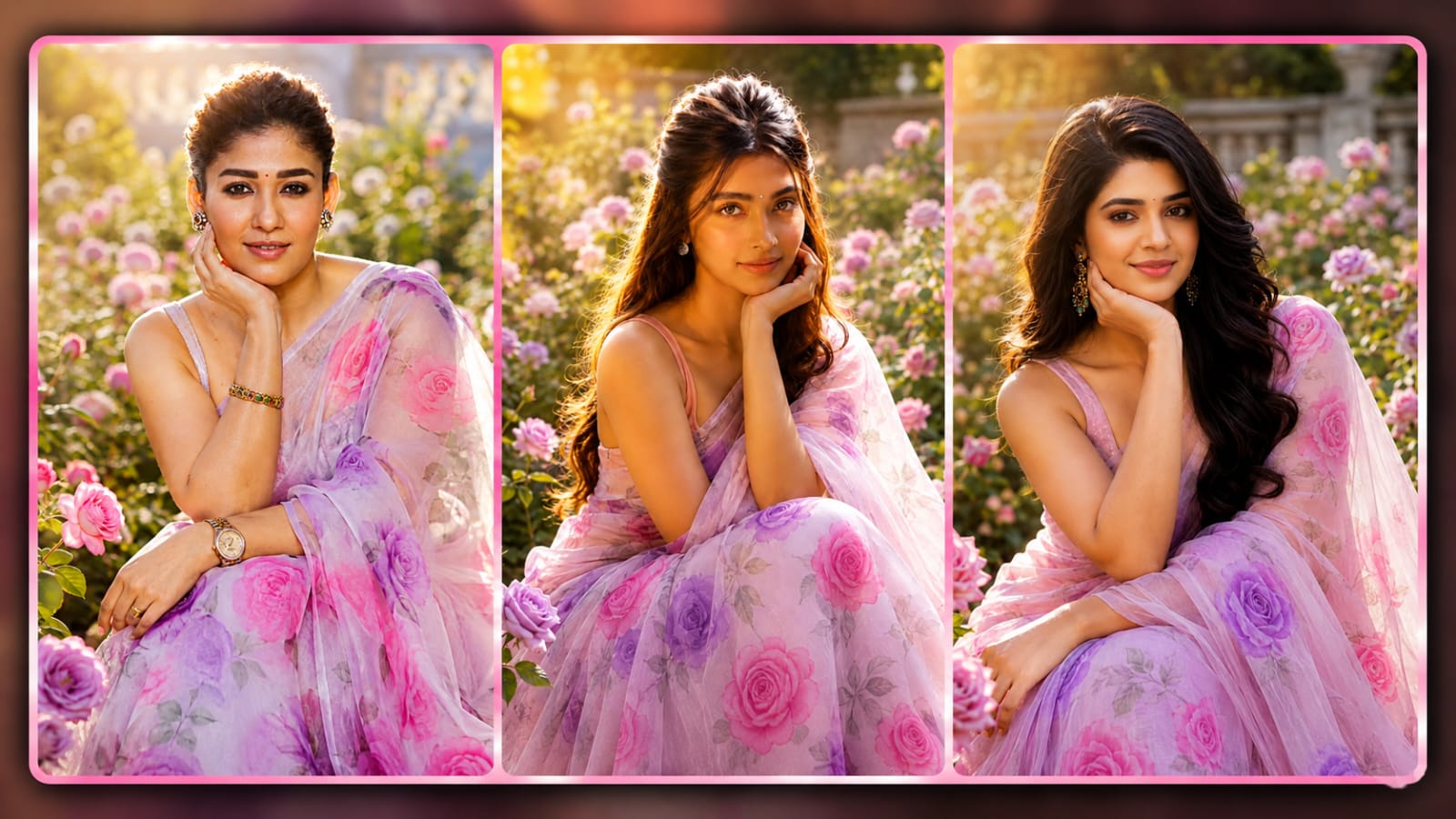
Beauty photo editing is now possible thanks to AI photo editing. Rose Garden is one of the most popular photo edits to achieve. With AI tools, you can transform an ordinary portrait into a dreamy garden scene filled with colorful roses, soft sunlight, and a professional photography look. No need of a high-quality camera or anything like a photo studio. When paired with the correct AI prompt, a good photo can make all the difference.
Create a Beautiful Rose Garden Portrait
A backdrop of roses can add a fresh and elegant look to your photo. The person can be put in a garden with beautiful pink, red, white or purple roses. The AI can produce natural flowers around the subject, but retain the realistic depiction of the portrait. The final photo will appear as if it were taken in a professional photoshoot, thanks to the soft greenery and peaceful outdoor setting.
The background should not appear too man-made for a realistic look. The use of natural lighting, realistic flower details, and a soft depth-of-field can make a significant difference. Backgrounds can be blurred with the person in focus.
Choose the Right Photo
The quality of the original photo is important for AI editing. Choose a clear image with good lighting and a visible face. A front-facing or slightly side-facing portrait usually works well. Avoid images that are too dark, blurry, or heavily compressed.
A high-quality source image helps the AI preserve facial details, hairstyle, skin texture, and clothing. If you want a professional portrait, choose a photo where the face is clearly visible.
Use a Realistic AI Prompt
The prompt plays an important role in creating the final image. Describe the garden, lighting, clothing, pose, camera quality, and overall mood clearly. For example, you can ask the AI to create a photorealistic portrait of a woman sitting in a beautiful rose garden surrounded by blooming pink roses, with warm golden-hour sunlight and a softly blurred background.
You can also mention DSLR photography, natural skin texture, realistic hair, detailed flowers, cinematic lighting, shallow depth of field, and high-resolution quality. These details can help create a more professional-looking result.
Add Soft Golden-Hour Lighting
Lighting can completely change the mood of a portrait. Warm golden-hour lighting works especially well with rose garden photos. It creates a soft glow around the subject and gives the flowers a beautiful natural appearance.
Avoid extremely bright or unnatural lighting. Soft sunlight coming from the side or behind the subject can create a gentle highlight on the hair and face. A subtle background blur can also make the portrait look like it was captured using a professional camera.
Keep the Face Natural
One of the most important parts of AI photo editing is maintaining a natural face. The AI should not unnecessarily change the person’s facial structure or expression. Natural eyes, lips, skin texture, and facial proportions make the final image more believable.
Small enhancements are fine, but excessive skin smoothing can make the portrait look artificial. A realistic image should still contain natural skin details and facial features.
Create a Professional DSLR Look
You can make the image look like it was captured with a DSLR camera by adding details such as an 85mm portrait lens, shallow depth of field, realistic bokeh, sharp facial details, and cinematic photography. The subject should remain in focus while the roses behind them gradually become softer.
This photography style is especially useful for Instagram posts, profile pictures, blog thumbnails, and creative social media content.
Try Different Rose Colors
You can experiment with different flower colors to create different moods. Pink roses can give the image a romantic and soft appearance. Red roses can create a dramatic look, while white roses can provide a clean and elegant atmosphere. Purple roses can give the portrait a unique and dreamy appearance.
Combining two or three rose colors can also create a beautiful natural garden effect. Make sure the colors complement the subject’s clothing.
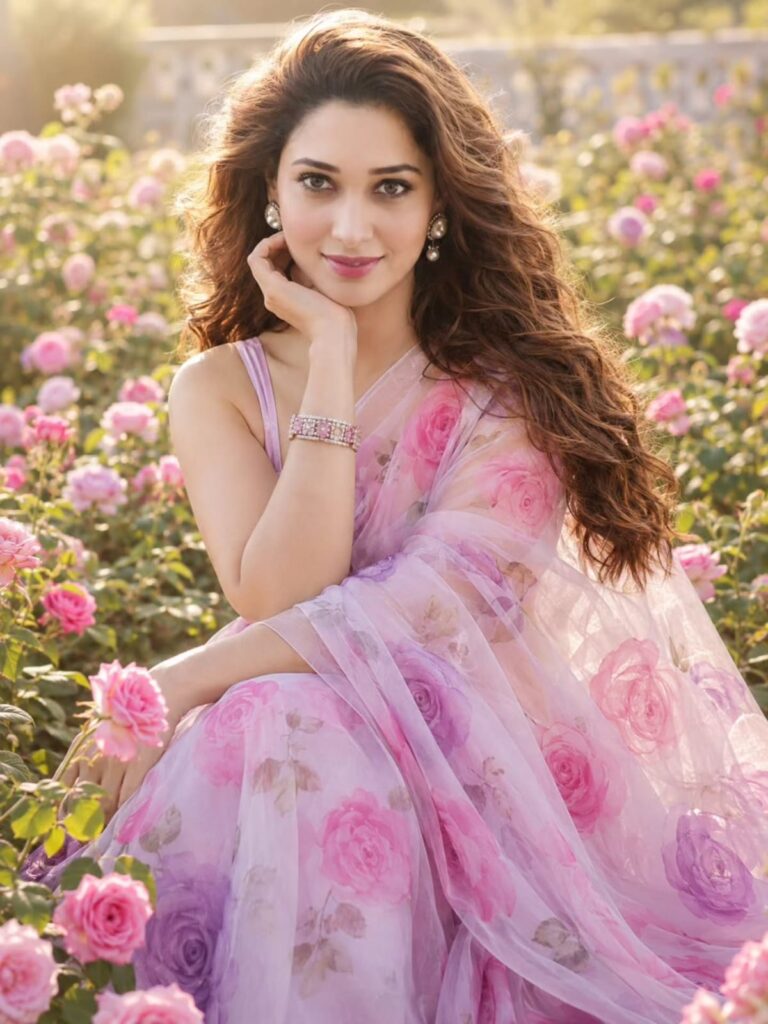
Create a photorealistic, ultra-detailed portrait of a beautiful South Asian woman seated gracefully in a lush blooming rose garden during golden hour. She is wearing an elegant sheer pastel pink and lavender saree with delicate pink and purple rose floral prints, paired with a matching sleeveless blouse. Her long, voluminous, naturally wavy brown hair flows over one shoulder. She wears elegant pearl-drop earrings and a delicate sparkling bracelet.
Pose: seated gracefully among the roses, one hand gently resting against her cheek while the other rests naturally across her lap. She looks directly into the camera with a soft, confident, charming smile and natural expression.
Background: dreamy garden filled with abundant pink, blush, white, and lavender roses, lush green foliage, warm sunlight streaming from behind, beautiful golden-hour glow, soft cinematic bokeh, shallow depth of field.
Photography style: high-end DSLR portrait photography, realistic skin texture, natural facial details, soft warm lighting, subtle rim light around the hair, cinematic color grading, elegant feminine aesthetic, realistic saree fabric texture, sharp eyes, highly detailed, professional fashion photography, 8K ultra HD, photorealistic, vertical composition, no text, no watermark, no logo.
More Prompts
Final Thoughts
With AI, editing a photo of a rose garden to make it look realistic is an accessible method to make beautiful portraits without intricate editing abilities. The use of a clear source photo, a detailed prompt, natural lighting, and a realistic face can all contribute to a professional-looking garden portrait.
With AI Editing, you can customize your flower options, outfits, poses, backgrounds, and lighting styles. However, with a bit of prompting, an ordinary photo can be transformed into a gorgeous rose garden shot, similar to what you would get in a professional outdoor photoshoot.