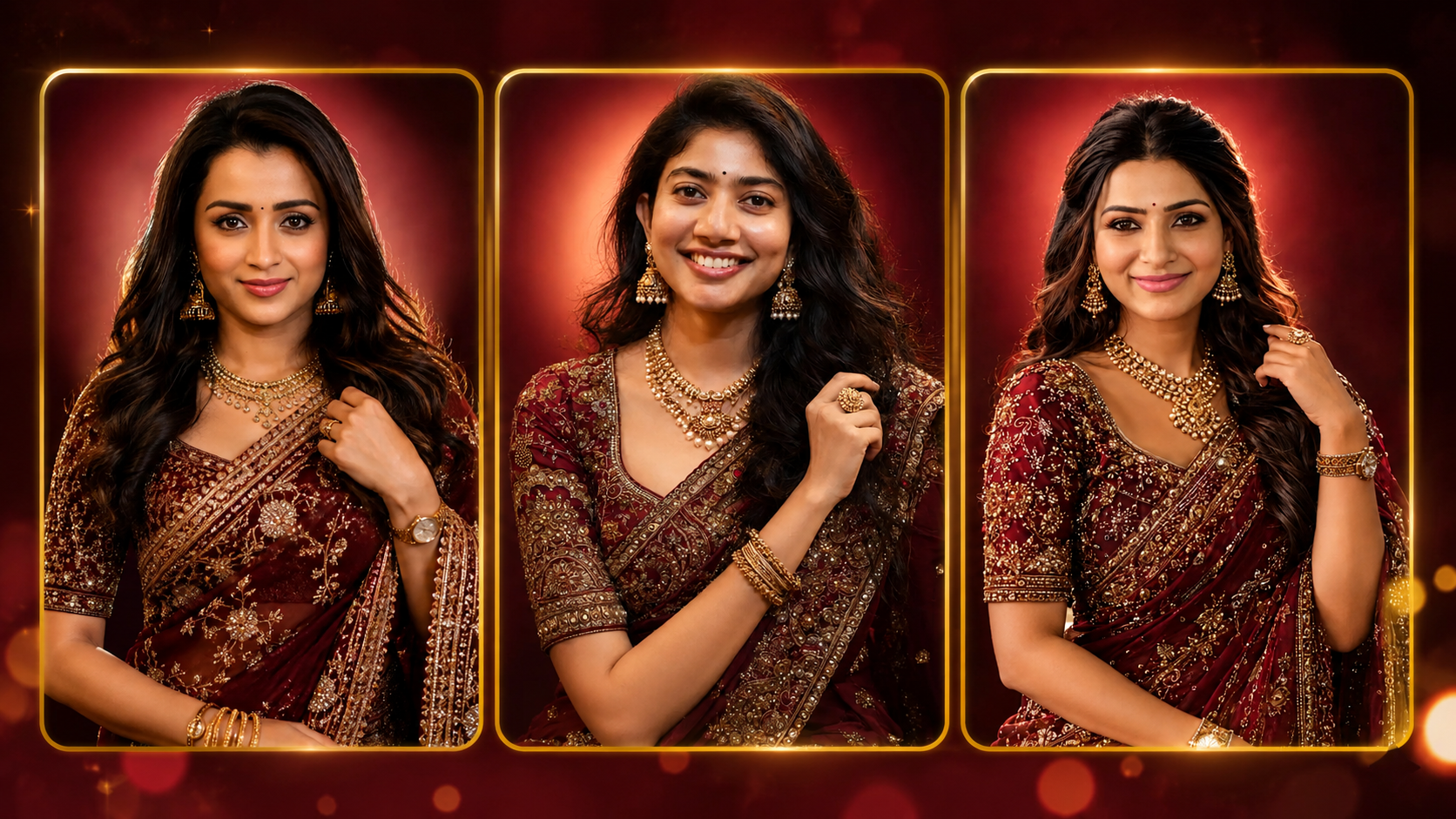
The creation of traditional portraits that are beautiful and realistic is one of the favorite applications of AI photo editing. In 2026, with the assistance of AI tools, users can effortlessly convert an ordinary photograph into a chic and elegant bridal saree portrait without requiring any advanced editing techniques. Using a suitable photo prompt and a good reference photo, you can capture professional-looking photos of sarees with realistic color, jewelry, light and background.
Thank you for reading this post, don't forget to subscribe!What Is AI Bridal Saree Photo Editing?
AI Bridal Saree Photo Editing is a straightforward way of manipulating the image using artificial intelligence so that it becomes the desired look and appearance. You can upload a portrait and provide instructions to the AI regarding the saree, blouse, jewellery, hairstyle, makeup, pose and background. The AI then generates an altered image, according to those instructions.
Choose a Good Reference Photo
The first step is selecting a clear reference photo. A high-resolution image with a visible face usually gives better results. The face should not be heavily blurred, covered, or hidden by objects. A front-facing or slightly angled portrait can work well for AI editing.
Good lighting is also important. A clear photograph allows the AI tool to understand facial details, hairstyle, and overall appearance more accurately.
Select a Bridal Saree Style
You can choose different saree styles depending on the look you want. A deep maroon silk saree with antique-gold embroidery can create a traditional bridal appearance. You can also try red, pink, green, royal blue, purple, or gold sarees.
For a premium result, describe the saree in detail. Mention the fabric, embroidery, border, blouse design, and overall color. For example, you can request a luxurious maroon silk saree with intricate gold floral embroidery and a heavily decorated border.
Add Traditional Jewelry
Jewelry plays an important role in creating a bridal appearance. AI editing tools can add traditional jhumka earrings, layered necklaces, bangles, rings, and other accessories.
You can mention the exact jewelry style in your prompt. For example, ask for antique-gold jhumkas, layered necklaces with a detailed pendant, matching bangles, and an elegant statement ring. Keeping the jewelry description clear can help produce a more complete bridal look.
Improve Hair and Makeup
Hair and makeup can completely change the appearance of a traditional portrait. You can request long, wavy black hair falling naturally over one shoulder. A small bindi, soft bridal makeup, defined eyes, and a natural smile can make the portrait look elegant.
Avoid asking for excessive makeup or unrealistic skin smoothing. Natural skin texture usually creates a more realistic and professional-looking result.
Create a Professional Background
The background is another important part of AI bridal photo editing. A simple studio background can make the subject stand out clearly. A dark maroon background with a warm red or orange halo behind the head can create a cinematic bridal photography effect.
You can also experiment with wedding halls, floral decorations, temple-inspired backgrounds, or luxury studio settings.
Use a Detailed AI Prompt
A detailed prompt helps the AI understand exactly what you want. Include information about the saree, jewelry, hairstyle, pose, lighting, background, camera style, and image quality.
For example, you can request a photorealistic South Indian bridal portrait, luxurious maroon silk saree, antique-gold embroidery, traditional jewelry, natural smile, soft studio lighting, realistic skin texture, shallow depth of field, DSLR photography, and high-resolution quality.
Keep the Image Realistic
One common problem with AI-generated images is unrealistic hands, jewelry, facial features, or clothing patterns. Always check the final image carefully. If the hands or accessories look incorrect, generate the image again with a simpler prompt.
Avoid adding too many details at once. A clear and well-structured prompt usually produces better results than a very complicated description.
Where Can You Use AI Bridal Saree Photos?
AI bridal saree portraits can be used for Instagram posts, Facebook profile pictures, YouTube thumbnails, wedding invitation concepts, fashion inspiration, and personal creative projects. They can also help photographers and designers create visual ideas before an actual photoshoot.
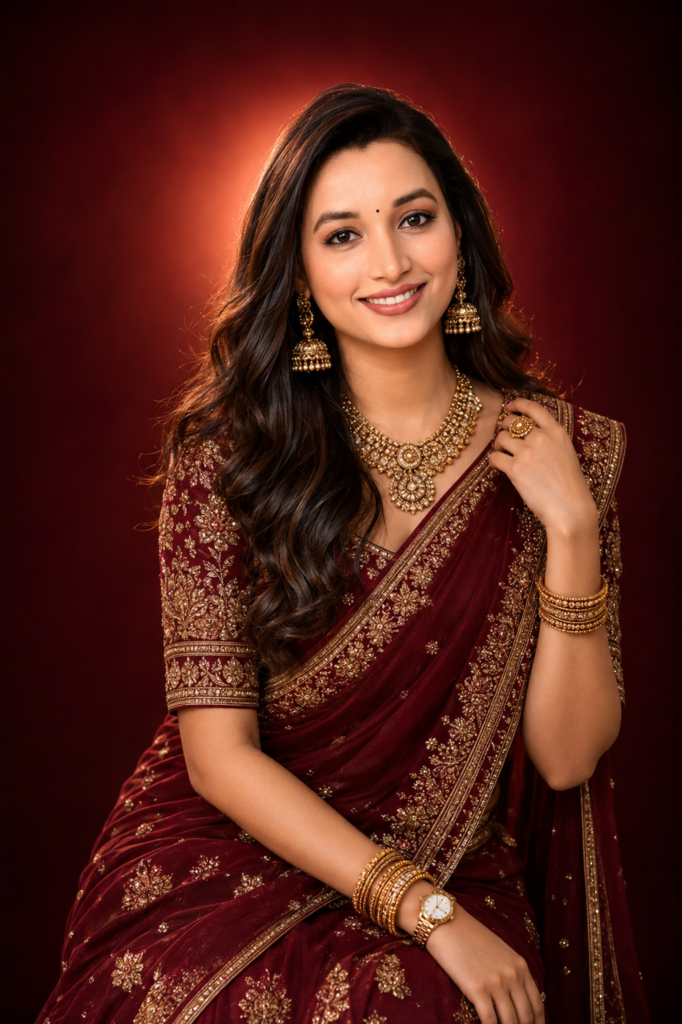
Create a highly realistic, elegant Indian bridal-style portrait of a beautiful young South Indian woman wearing a luxurious deep maroon silk saree with intricate antique-gold embroidery, a heavily embellished matching blouse, and a richly detailed saree border. She is seated gracefully in a studio setting, smiling naturally at the camera. She has long, voluminous, wavy black hair falling naturally over one shoulder, a small black bindi, expressive dark eyes, a warm natural smile, and realistic South Indian facial features. She is wearing traditional antique-gold jhumka earrings, layered gold necklaces with a detailed pendant, matching bangles, and an elegant gold ring. A classic wristwatch is visible on her left wrist. Her pose is graceful and feminine, with one hand gently holding her hair near the shoulder while the other rests naturally on her lap.
The saree fabric should look rich, premium, and realistic, with detailed gold floral motifs and embroidery. Background: luxurious dark maroon studio backdrop with a soft warm orange-red halo light behind her head, creating a cinematic glow. Professional studio portrait photography, soft diffused lighting, subtle rim light, realistic skin texture, natural facial details, sharp eyes, detailed jewelry, realistic fabric texture, shallow depth of field, DSLR photography, 85mm portrait lens, f/1.8, cinematic lighting, high dynamic range, photorealistic, ultra-detailed, premium fashion photography, 8K quality, elegant composition, vertical portrait, 4:5 aspect ratio. Avoid cartoon style, plastic skin, excessive skin smoothing, distorted hands, extra fingers, blurry face, unnatural jewelry, duplicate accessories, bad anatomy, overexposure, watermark, and text.
More AI Prompts Join Our Whatsapp Channel
Final Words
With the help of AI Bridal Saree Photo Editing 2026, you can easily design beautiful traditional photographs following simple directions. Using a clear reference photo, picking a detailed saree style, adding realistic jewellery, to the hairstyle and choosing the professional lighting will help you make a beautiful bridal photo.
Simplicity, specificity, and realism are the keys to the prompt. AI tools can generate beautiful saree portraits with a few iterations and some tweaks, which are perfect for social media and creative projects.