Instagram has become one of the most popular social media platforms in the world. Millions of people use it daily for sharing photos, videos, reels, and personal moments. Many businesses, influencers, and creators also depend on Instagram for their online presence. But recently, many users have been facing one major problem — Instagram account suspension.
Thank you for reading this post, don't forget to subscribe!What Does Instagram Account Suspension Mean?
Instagram suspension means your account has been temporarily or permanently restricted by Instagram. When this happens, you may not be able to log in, post content, send messages, or access your profile.Sometimes Instagram suspends accounts automatically using its security system. Other times, reports from users can also trigger a suspension review.
Temporary Suspension
Temporary suspension usually lasts for a few hours, days, or weeks. This happens when Instagram detects suspicious activity or guideline violations.
Permanent Suspension
Permanent suspension is more serious. Instagram may permanently disable accounts that repeatedly violate community guidelines or use harmful activities like spam or fake engagement.
Common Reasons Why Instagram Suspends Accounts
Understanding the reason behind the suspension is the first step to fixing the problem.
Violating Community Guidelines
Instagram has strict community rules. Posting harmful, violent, copyrighted, or inappropriate content may result in suspension.
Using Third-Party Apps
Many users use apps for automatic followers, likes, comments, or scheduling. Some unsafe apps violate Instagram policies and can lead to account suspension.
Spam Activity
Following too many people quickly, commenting repeatedly, or sending bulk messages can look like spam behavior.
Fake Information
Using fake names, fake birthdays, or pretending to be another person can cause problems.
Copyright Violations
Uploading videos, music, or photos without permission may trigger copyright complaints.
Suspicious Login Activity
Logging in from multiple devices or locations within a short time may make Instagram think your account was hacked.
Signs That Your Instagram Account May Get Suspended
Sometimes Instagram gives warning signs before suspension happens.
Action Block Messages
You may see messages like:
- “Try Again Later”
- “Action Blocked”
- “We Restrict Certain Activity”
These warnings indicate unusual activity.
Reduced Reach
Your posts may suddenly stop getting likes, comments, or views.
Login Verification Requests
Instagram may ask you to verify your phone number or email repeatedly.
How to Recover a Suspended Instagram Account
Recovering a suspended account requires patience and correct steps.
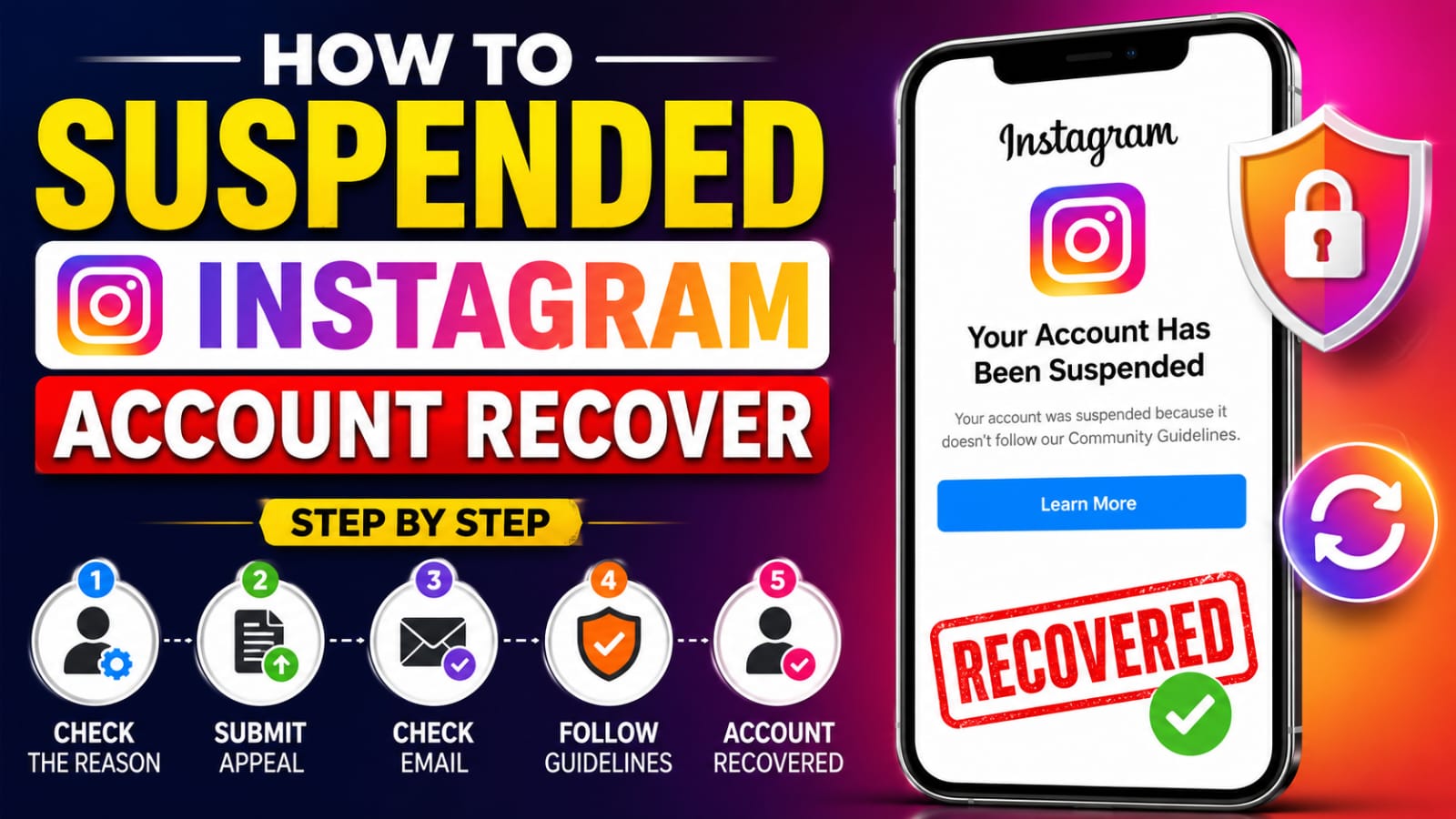
Step 1: Open the Instagram App
Try logging into your account normally. Read the suspension message carefully. Instagram usually explains whether the suspension is temporary or under review.
Step 2: Click on “Appeal” or “Disagree With Decision”
If Instagram provides an appeal option, click it immediately.Fill out the form honestly and politely. Avoid aggressive language.
Example:
“I believe my account was suspended by mistake. I always try to follow Instagram guidelines. Please review my account again.”
Step 3: Verify Your Identity
Instagram may ask for:
- Phone number verification
- Email verification
- Selfie verification
- Government ID proof
Complete the verification process carefully.
Step 4: Check Your Email
Instagram often sends updates through email. Check:
- Inbox
- Spam folder
- Promotions folder
Follow all instructions provided in the email.
Step 5: Wait Patiently
Many users repeatedly send appeals every hour. This can slow the review process.
Usually, Instagram responds within:
- 24 hours
- 48 hours
- A few days
Some cases may take longer.
How to Contact Instagram Support
If the normal appeal process does not work, you can contact Instagram support directly.
Use the Help Center
Visit the official Instagram Help Center and search for suspended account recovery forms.
Report Login Problems
On the login page:
- Tap “Forgot Password”
- Select “Need More Help”
This may open additional recovery options.
Facebook Meta Support
Since Instagram belongs to Meta, some business accounts can access Meta support services.
Mistakes to Avoid During Recovery
Many users make mistakes that reduce their chances of recovery.
Do Not Create Multiple Accounts
Creating many accounts after suspension can make Instagram suspicious.
Avoid Fake Recovery Services
Many fake websites and hackers claim they can recover Instagram accounts for money. Most of them are scams.
Do Not Use Bots
Stop using automation tools immediately.
Avoid Sending Too Many Appeals
Sending appeals repeatedly can delay the review.
How to Keep Your Instagram Account Safe
Preventing suspension is easier than recovering an account.
Follow Community Guidelines
Always post safe and respectful content.
Use Strong Passwords
Create a strong password using:
- Uppercase letters
- Lowercase letters
- Numbers
- Symbols
Enable Two-Factor Authentication
This adds extra security to your account.
Avoid Spam Behavior
Do not:
- Follow too many users quickly
- Like hundreds of posts in minutes
- Send repetitive comments
Use Official Apps Only
Only use trusted apps connected to Instagram.
What to Do If Your Account Is Permanently Disabled
Sometimes Instagram permanently disables accounts.
Submit a Final Appeal
You can still try sending one detailed appeal explaining your situation politely.
Download Your Data
If possible, request your photos and videos before losing access permanently.
Start Fresh Carefully
If recovery becomes impossible:
- Create a new account
- Follow all guidelines carefully
- Avoid repeating past mistakes
Tips for Content Creators and Businesses
Business and creator accounts should take extra precautions.
Avoid Copyright Music
Use licensed or Instagram-approved music only.
Maintain Original Content
Original videos and photos are safer than reposted content.
Secure Business Information
Always keep backup email addresses and phone numbers updated.
Monitor Account Activity
Check login activity regularly for unknown devices.
How Long Does Instagram Recovery Take?
Recovery time depends on the reason for suspension.
Typical recovery times:
- Minor issues: Few hours
- Verification reviews: 1–3 days
- Serious violations: Several weeks
Patience is important during this process.
Can a Suspended Instagram Account Be Fully Recovered?
Yes, there are lots of suspended accounts that are recovered every single day. The odds of recovery are greater if the violation is minor or unintentional.More challenges may apply to accounts that are found to be involved in spam or fake engagement or repeat violations.The main thing to be kept in mind is to remain calm and adhere to the official recovery processes.
Copy Text to Appeal
Final Thoughts
Suspension of Instagram accounts is a prevalent matter these days. High-volume users may be suspended for spam, unsafe applications, and/or unintentional infringement on guidelines.If you’re a beginner, the recovery process can be a bit confusing, but with the right things done, most accounts will be recovered. Do not rely on unofficial Instagram recovery techniques or services.