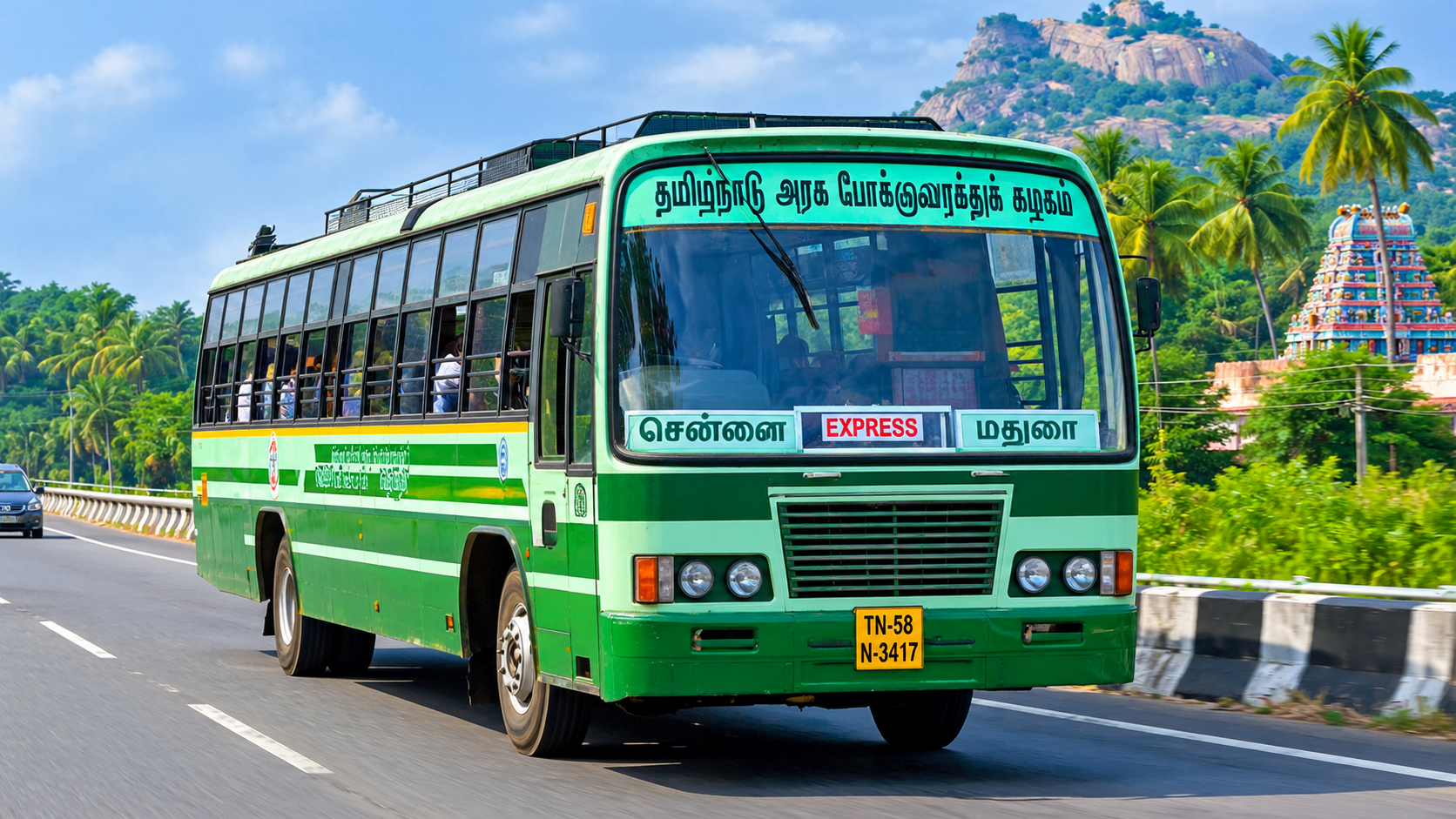
The Tamil Nadu Government Bus Driving Game is an exciting topic for fans of Indian bus simulation games. Many players enjoy driving realistic buses, exploring Indian roads, and experiencing the look and feel of Tamil Nadu government buses on their mobile phones. Bus Simulator Indonesia, commonly known as BUSSID, is a popular bus simulation game that allows players to drive buses, customize vehicles, and explore different environments. With suitable Indian bus mods and liveries, players can customize their gameplay to resemble Tamil Nadu bus services, including TNSTC and SETC-inspired designs.
Thank you for reading this post, don't forget to subscribe!What Is BUSSID?
Bus Simulator Indonesia is a mobile simulation game developed by Maleo. The game offers a virtual bus-driving experience with road environments, vehicle customization, and driving controls. Players can steer buses, accelerate, brake, use indicators, and travel through different routes. The game is especially popular among players who enjoy Indian-style buses and regional vehicle designs. Although BUSSID is based on Indonesia, its customization options and community-created content make it attractive to players who want to recreate an Indian bus-driving experience.
What Is the Tamil Nadu Government Bus Mod?
A Tamil Nadu government bus mod is a community-created modification or customization designed to give a compatible bus a Tamil Nadu-inspired appearance. These modifications may feature bus body designs, paint schemes, route boards, registration-style details, and liveries inspired by regional transport services. Some creators also produce buses resembling TNSTC or SETC vehicles. Availability and compatibility depend on the individual mod and the version of BUSSID being used.
Popular Tamil Nadu Bus Styles in BUSSID
Tamil Nadu has several government bus services that players may want to recreate in a simulation game. TNSTC-inspired buses are suitable for players who enjoy ordinary and intercity bus designs. SETC-inspired liveries can appeal to those interested in long-distance express bus experiences. Players may also find custom designs inspired by city buses, rural buses, and other regional transport vehicles.
Main Features of Tamil Nadu BUSSID Mods
1. Realistic Indian Bus Appearance
One of the main attractions is the opportunity to customize a vehicle with an Indian government bus-inspired design. The colors, route boards, and body details can make the virtual bus look more familiar to Tamil Nadu players.
2. Custom Bus Liveries
Liveries change the visual appearance of a bus. Depending on the available design, players may be able to use TNSTC-inspired colors, regional labels, and route information. Some liveries are provided separately, while others are included with a complete bus mod.
3. Different Bus Models
Community creators may release different bus body styles, including ordinary buses, express buses, and modern coach designs. Not every mod supports every vehicle, so always check the creator’s compatibility information.
4. Mobile-Friendly Gameplay
BUSSID is designed for mobile gameplay. Players can use on-screen controls to steer, accelerate, brake, and manage other driving functions. Performance will depend on the device, game version, graphics settings, and complexity of the installed mod.
5. Custom Driving Experience
Players can enjoy driving through available game environments while using customized buses. They can practice turning, stopping, maintaining speed, and handling the vehicle on different roads. This makes the experience appealing to people who enjoy simulation games rather than fast-paced racing.
How to Download a Tamil Nadu Bus Mod for BUSSID
To find a suitable mod, search for a Tamil Nadu TNSTC BUSSID bus mod from a source you trust. Read the description carefully and review screenshots, supported game versions, and installation instructions. If the creator provides an official download page, use that page instead of an unknown third-party mirror.
Before downloading, check the following details:
- Whether the mod supports your version of BUSSID.
- Whether the file is a bus mod, livery, or another type of resource.
- Whether the download page identifies the creator and explains installation.
- Whether the file requires an additional application or password.
- Whether the file format matches the creator’s instructions.
Avoid websites that display misleading download buttons, demand unnecessary permissions, or ask you to install suspicious APK files. A bus mod should not require you to share your game password or personal account information.
How to Install a BUSSID Bus Mod on Android
The installation process depends on the file supplied by the creator. First, download the compatible file and check its extension. If it is a compressed ZIP archive, use a trusted file manager or archive utility to inspect its contents. Do not rename a file blindly or extract it into an arbitrary folder.
Open BUSSID and look for the vehicle or mod-import option supported by your installed version. Follow the creator’s instructions to import the downloaded bus file. If the download is a livery rather than a complete bus, you may need to select a compatible vehicle and apply the livery using the game’s supported customization process.
After importing the content, check whether the bus appears correctly in the game. If it does not, verify the file format, installation location, and version compatibility. Restarting the game may help when the content has been installed correctly but has not appeared immediately. Back up important game data before making major changes.
Tips for Better Bus Driving Gameplay
For a more enjoyable experience, begin with the default driving controls and learn how the steering, acceleration, and braking respond. Avoid taking sharp turns at high speeds. Use indicators where available, slow down before stopping, and leave enough space between your bus and other vehicles.
Players can also experiment with available camera views to find the most comfortable driving perspective. An interior camera may provide a more immersive experience, while an exterior camera can help with parking and tight turns. If the game becomes slow after installing a detailed bus mod, lower the graphics settings or try a less demanding modification.
Common Problems and Solutions
Some players may experience problems when importing a bus mod. A file may fail to appear because it is incompatible, incomplete, or installed incorrectly. Check the download instructions and confirm that the file matches the required format.
If the game crashes after adding a modification, remove the recently installed file if possible and restart the game. Avoid installing several unverified modifications at once because this can make it difficult to identify the cause of a problem. If the bus appears with missing textures or incorrect colors, the mod may require additional files or may not support your current game version.
Is It Safe to Download BUSSID Mods?
Safety depends on the source and the file. Prefer established creators and reputable websites that clearly describe their downloads. Scan downloaded files with a trusted security tool when possible, and avoid APK files from unknown sources. Never disable important device security protections just to install a bus mod.
Remember that unofficial modifications can contain errors and may stop working after a game update. They may also use copyrighted artwork or transport-service branding without authorization. Check the creator’s usage terms before redistributing files or publishing them on your own website.
Frequently Asked Questions
Is the Tamil Nadu Government Bus Mod an official BUSSID feature?
Not necessarily. Tamil Nadu-inspired buses are generally community-created modifications or liveries. Their availability depends on independent creators.
Can I play with TNSTC and SETC-inspired buses?
You may be able to use compatible community-made buses or liveries inspired by these services. Availability depends on the specific mod and game version.
Can I install BUSSID mods on Android?
Many BUSSID community modifications are intended for Android, but you should always check the supported file format, game version, and creator’s installation instructions.
Are Tamil Nadu bus mods free?
Some creators offer their modifications for free, while others may set different conditions. Check the original source and its terms before downloading.
Conclusion
The Tamil Nadu Government Bus Driving Game – BUSSID Mod Guide is useful for players who want to bring a familiar Indian bus style into their mobile simulation experience. With compatible TNSTC-inspired buses, SETC-style liveries, and other regional designs, players can personalize their vehicles and enjoy a more locally inspired driving atmosphere. Choose trusted download sources, follow the correct installation process, and check compatibility before adding modifications. By using safe files and suitable game settings, you can enjoy a customized BUSSID experience on your Android device.