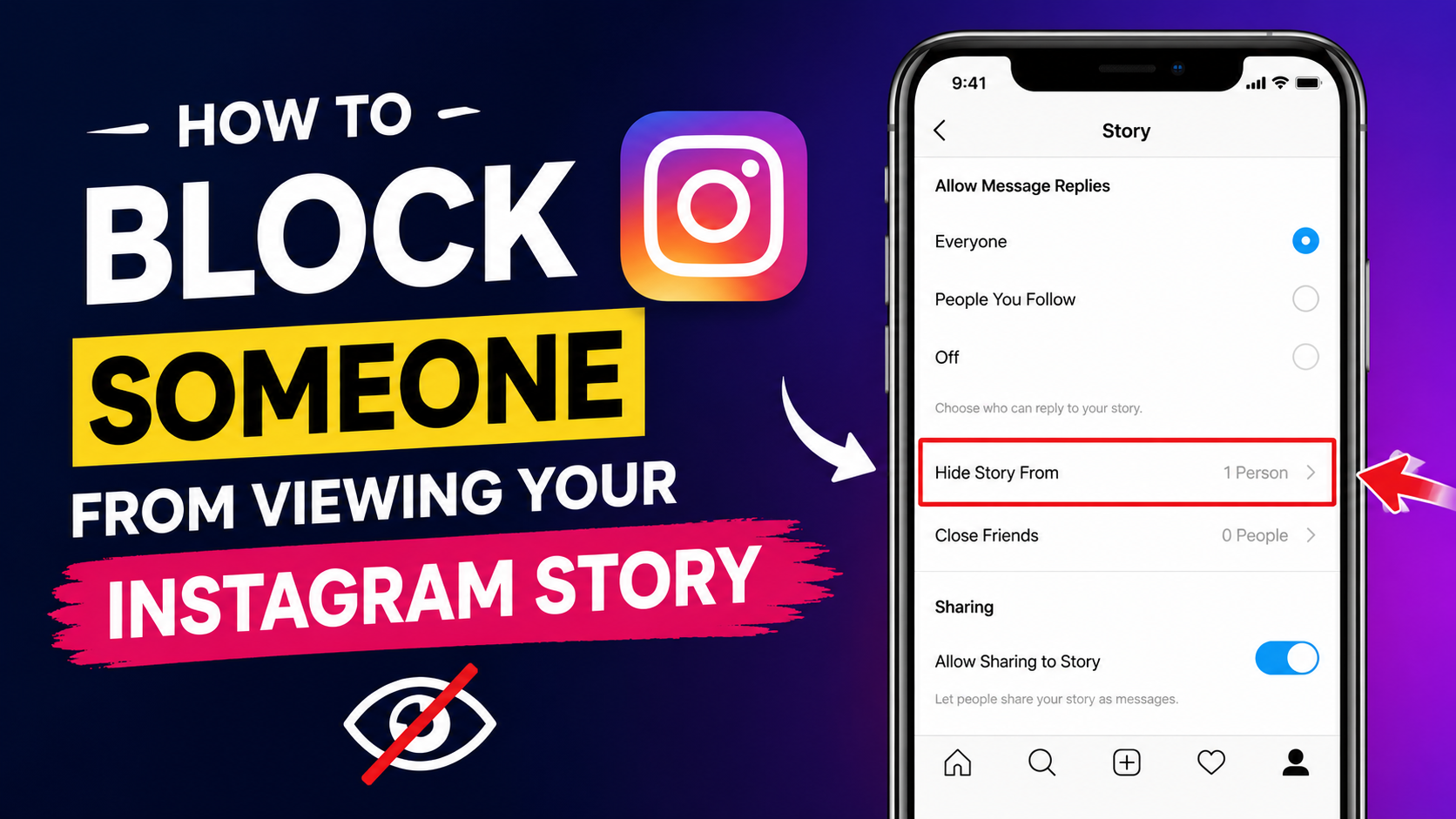
Instagram Stories are super popular on the platform. Folks use them daily to show off pics, vids, and life updates. Since stories vanish after 24 hours, it’s easy to be spontaneous and casual.
Thank you for reading this post, don't forget to subscribe!Sometimes you wanna keep your stories from everyone. Maybe you just need more privacy or wish to dodge unwanted viewers. It’s about hiding specific posts without blocking the whole person from seeing anything else you put up.
Why People Hide Instagram Stories
Privacy Reasons
Many Instagram users want to keep their personal life private. Some stories may contain family photos, personal moments, or location updates. Users may not feel comfortable sharing these things with everyone.
Avoiding Unwanted Attention
Sometimes, people constantly watch stories even when users do not want interaction with them. This can feel uncomfortable.Instead of blocking the full account, users can simply hide stories from that person.
Professional and Personal Separation
Some people use one Instagram account for both work and personal life. They may want friends to see personal stories but not office colleagues or clients.Story hiding helps maintain that balance.
Preventing Drama
Social media misunderstandings happen often. Some users prefer hiding stories from certain people to avoid unnecessary arguments or emotional situations.Instagram provides this option quietly without notifying the other person.

What Happens When You Hide Your Story
The Person Cannot View Your Stories
When you hide stories from someone, they cannot see your new Instagram Stories.Your story circle will not appear for them.
They Are Not Notified
Instagram does not send any notification when you hide stories from someone.The person will not directly know that you blocked story access.
They Can Still View Your Profile
Hiding stories does not block the entire Instagram account.
The person can still:
- View your posts
- Send messages
- Follow your account
- Like photos and reels
Only stories become hidden.
How to Block Someone from Viewing Your Instagram Story
Step 1: Open Instagram
First, open the Instagram app on your phone. Make sure your account is logged in properly.
Step 2: Go to Your Profile
Tap your profile picture at the bottom right corner. This opens your Instagram profile page.
Step 3: Open Settings
Tap the three horizontal lines in the top-right corner. A menu will appear.Choose “Settings and Privacy.”
Step 4: Open Story Settings
Scroll down and find the “Story” option. Tap on it to open Story controls.
Step 5: Select “Hide Story From”
Inside Story settings, you will see: “Hide Story From” Tap this option.
Step 6: Choose the Person
Instagram will show your followers list. Search for the person’s username. Tap the circle next to their name. A checkmark will appear.
Step 7: Save Settings
Go back after selecting the person. Instagram automatically saves the changes. Now that person cannot see your stories.

Alternative Method to Hide Story
Hide Story Directly from Profile
Instagram also allows users to hide stories directly from someone’s profile.
Steps
- Open the person’s Instagram profile
- Tap the three dots at the top
- Select “Hide Your Story”
- Confirm the option
This method is fast and simple.
How to Unhide Instagram Stories
Remove Story Restriction
Sometimes users change their mind later.Instagram allows easy unhide options.
Steps to Unhide
- Open Instagram Settings
- Go to Story settings
- Tap “Hide Story From”
- Remove the checkmark beside the username
Now the person can see stories again.

Instagram Close Friends Feature
Better Privacy Control
Instagram also has a “Close Friends” feature.Instead of hiding stories from many people, users can share stories only with selected friends.
How It Works
Close Friends stories appear with a green circle.Only selected people can view them.
How to Add Close Friends
- Open Profile
- Tap Menu
- Select “Close Friends”
- Add people you trust
This feature is useful for personal updates.
Can Someone Know You Hid Your Story
No Official Notification
Instagram does not officially tell users when stories are hidden from them.
But They May Guess
Some users may notice:
- Your stories stopped appearing
- Mutual friends still mention your stories
- They cannot see highlights
Still, Instagram keeps the process private.
Story Privacy Tips
Keep Account Private
Private accounts give better security.Only approved followers can see content.
Remove Unknown Followers
Check your followers regularly.Remove fake or unknown accounts.
Avoid Sharing Sensitive Information
Do not post:
- Home address
- Phone number
- Financial information
- Private documents
Social media safety is important.
Use Close Friends Often
Personal moments are safer with trusted viewers only.
Common Reasons Users Hide Stories
Ex Relationships
Many users hide stories from former partners after breakups.This avoids emotional stress.
Office Colleagues
Some people want professional boundaries online.
Family Members
Young users sometimes hide stories from strict family members.
Fake Followers
Suspicious accounts may create privacy concerns.
Benefits of Instagram Story Privacy
Better Mental Peace
Users feel relaxed when they control their audience.
Safer Online Experience
Privacy settings protect personal information.
More Freedom to Share
People post more confidently when trusted viewers are selected.
Reduced Social Pressure
Users avoid unwanted comments or judgments.
Mistakes to Avoid
Forgetting Story Settings
Sometimes users accidentally hide stories from important people. Check settings regularly.
Sharing Publicly by Mistake
Always confirm whether your account is public or private.
Accepting Random Followers
Unknown followers can create privacy problems later.
Instagram Updates and Privacy Features
Instagram Regularly Adds New Features
Instagram continues improving safety and privacy settings.
Features now include:
- Story controls
- Close Friends
- Restrict option
- Account privacy settings
- Hidden words filters
These tools help users manage social interactions safely.
Restrict Feature on Instagram
Another Useful Privacy Tool
Instagram also offers a “Restrict” feature.
Restricted users:
- Cannot easily see when you are online
- Their comments become limited
- Message notifications reduce
This is different from hiding stories but still useful.
How Teenagers Use Story Privacy
Popular Among Young Users
Teenagers often use story hiding to manage school friends, classmates, and online interactions.
Digital Privacy Awareness
Young users are becoming more aware of online privacy and safety. Instagram privacy settings help protect their social space.
Social Media Privacy Is Important
Online Safety Matters
Today, people share many moments online. Privacy settings are necessary to avoid misuse.Instagram story controls give users more confidence and safety.
Control Your Audience
Not every follower needs access to personal updates.Choosing viewers carefully improves online experience.
Download App
Final Thoughts
Instagram Story privacy settings are super helpful for social media users today. Sometimes, you just want to share stuff with close friends, right? For that, Instagram lets you use the “Hide Story From” feature.Now, blocking someone from seeing your Story isn’t the same as blocking their whole account. They just won’t be able to see your Story, which is done privately and safely.Plus, there’s Close Friends, private accounts, and the Restrict feature for more control over privacy.