Introduction
Many official documents, such as a passport, visa, government documents, employment applications, school applications and identity cards require a passport size photo. These photos can be made by a professional photo shop, but it may be expensive and will require time. Now, you can get a good passport photo in a matter of minutes in the comfort of your own home with the help of an AI powered passport photo editor.
Thank you for reading this post, don't forget to subscribe!A free online passport size photo editor enables you to upload your photo and delete the background automatically, crop the image to the correct size and save a high resolution version. This is one of the most convenient, quick, and cost-effective processes for all.
What Is an Online Passport Size Photo Editor?
An online passport size photo editor is a Web-based program that allows people to create passport and ID photos without downloading any software. These editors have artificial intelligence (AI) capabilities to recognize your face, adjust the image, remove unwanted backgrounds, and resize the photo to meet official specifications.
Today, most tools operate directly from your web browser, on a computer, tablet or smartphone. You just upload a clear picture, adjust it if necessary, download and you’re done!
Why Choose an AI Passport Photo Maker?
Artificial intelligence has made photo editing much easier. Instead of manually editing every detail, AI completes many tasks automatically.
Some major advantages include:
- Automatic face detection
- One-click background removal
- Accurate passport photo dimensions
- High-quality image enhancement
- Fast processing within seconds
- Easy-to-use interface
- No editing experience required
These features save time and help create professional-looking passport photos quickly.
Features of a Free Passport Size Photo Editor
A good online passport photo editor offers several useful features that improve the final image.
Automatic Background Removal
Official passport photos usually require a plain white or light-coloured background. AI tools automatically remove distracting backgrounds and replace them with a clean white background.
Face Alignment
Many passport applications require the face to be centred correctly. AI automatically aligns your face according to standard guidelines.
Image Cropping
Different countries have different passport photo sizes. Online editors provide preset templates for common passport, visa, and ID card dimensions.
HD Image Quality
Modern AI editors improve brightness, sharpness, and clarity while maintaining a natural appearance.
Mobile Friendly
Most passport photo editors work perfectly on Android phones, iPhones, tablets, laptops, and desktop computers.
Instant Download
After editing, users can download high-resolution photos immediately for printing or online applications.
Benefits of Using an Online Passport Photo Maker
Using an online editor offers many advantages compared to visiting a photo studio.
Saves Time
Creating passport photos online usually takes less than five minutes.
Saves Money
Many online tools are completely free or offer essential features without any cost.
Easy to Use
You do not need professional editing skills. Most AI tools complete the editing automatically.
Available Anytime
You can create passport photos 24 hours a day from anywhere with an internet connection.
No Software Installation
Everything works directly inside your web browser.
How to Create a Passport Size Photo Online
Creating a passport photo is a simple process.
Step 1: Upload Your Photo
Choose a clear photo taken with good lighting. Ensure your face is fully visible.
Step 2: Select Passport Size
Choose the required passport or ID photo size for your country or application.
Step 3: Remove the Background
Use the AI background remover to create a clean white background.
Step 4: Adjust Position
Ensure your head is centred and your shoulders are visible.
Step 5: Download the Photo
Save the final HD passport photo and print it if required.
Tips for Taking a Perfect Passport Photo
Even the best AI editor cannot completely fix a poor-quality image. Follow these tips before taking your photo.
Use Good Lighting
Natural daylight produces the best results. Avoid dark rooms and strong shadows.
Look Straight at the Camera
Keep your head straight and look directly into the camera lens.
Maintain a Neutral Expression
Most official passport applications require a neutral facial expression with your mouth closed.
Wear Simple Clothing
Choose plain clothing that contrasts with the background. Avoid uniforms unless required for religious or professional reasons.
Remove Sunglasses
Your eyes should be fully visible unless sunglasses are medically necessary.
Avoid Heavy Filters
Do not apply beauty filters or excessive editing that changes your natural appearance.
Common Passport Photo Mistakes
Many passport applications are delayed because of incorrect photos.
Avoid these common mistakes:
- Blurry images
- Poor lighting
- Busy backgrounds
- Cropped head or shoulders
- Smiling too widely
- Wearing hats without permission
- Low-resolution photos
- Using old photographs
- Tilting your head
- Over-editing facial features
Where Can Passport Photos Be Used?
Passport-size photos are needed for many purposes, including:
- Passport applications
- Visa applications
- National identity cards
- Driving licences
- Government documents
- School and college admissions
- Employee ID cards
- Job applications
- Examination forms
- Immigration documents
- Travel permits
- Bank account verification
Having a professional passport photo ready can save time when completing these applications.
Is It Safe to Use an Online Passport Photo Editor?
Most reputable online passport photo editors protect user privacy by encrypting uploads and allowing users to delete images after processing. Before uploading personal photos, choose a trusted service, review its privacy policy, and avoid sharing sensitive images on unknown websites.
Why HD Quality Matters
High-resolution passport photos improve print quality and reduce the chance of rejection during document verification.
Benefits of HD passport photos include:
- Better facial clarity
- Sharp printed images
- Improved scanning quality
- More professional appearance
- Compliance with official submission standards
Who Can Use an AI Passport Photo Maker?
AI passport photo editors are useful for almost everyone, including:
- Students
- Professionals
- Travellers
- Government job applicants
- Visa applicants
- Business owners
- Parents creating children’s passport photos
- Senior citizens applying for identification documents
The simple interface makes these tools suitable even for first-time users.
Future of AI Passport Photo Editing
Artificial intelligence continues to improve every year. Future passport photo editors are expected to provide even more accurate face positioning, automatic compliance checks for different countries, enhanced image quality, and faster processing. These improvements will make creating passport photos even easier while helping users meet official requirements with greater confidence.
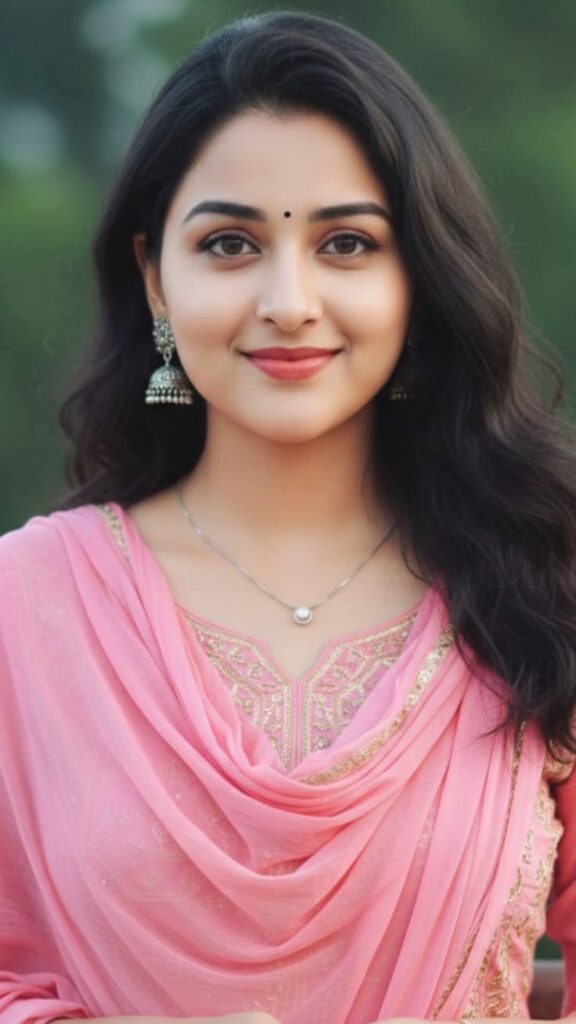
Create a professional biometric passport-size portrait using the uploaded reference photo. Preserve the person’s exact facial features, skin tone, hairstyle, and natural appearance. The subject should face directly toward the camera with a neutral expression, mouth closed, and both eyes fully open. Keep the head centered with shoulders visible and proper passport framing. Replace the background with a plain pure white (#FFFFFF) background. Remove all shadows, distractions, and background objects. Ensure even studio lighting across the face with soft natural highlights, balanced exposure, and realistic skin texture. Correct color balance while avoiding over-smoothing or beauty filters.
If necessary, crop or adjust the clothing to appear neat and professional without changing the person’s identity. Keep hair tidy and away from the eyes. No hats, sunglasses, heavy accessories, text, logos, watermarks, or decorative elements. Generate an ultra-sharp, high-resolution passport photo suitable for official documents, 35mm × 45mm (or 2×2 inch), 300 DPI, photorealistic, natural colors, studio quality, centered composition, perfectly symmetrical framing, and compliant with international passport photo standards.
More Prompts Click
Conclusion
A FREE online Passport Size Photo Editor is a handy tool that allows you to edit your passport, visa, and ID photos at home. AI capabilities like auto-removing the background, aligning faces, enhancing the quality of photos, and proper cropping enable users to create quality passport photographs in mere minutes.
From making a passport photo right to applying for a job or a visa, an AI passport photo generator can save you both time and money and provide you with a great photo. Just by adhering to proper photo guidelines and employing a trusted online photo editor, you can produce easy, professional, and compliant passport size photos any time you need them..