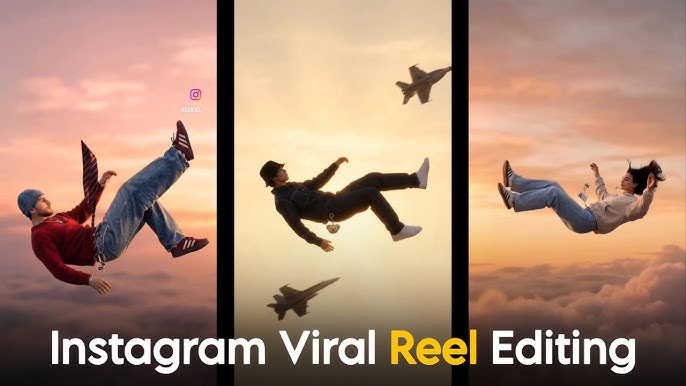
The trending “Imagination Girl” (or “Draw Girl”) Instagram Reel typically features an animated or AI-generated character interacting with the real world or transforming from a simple sketch into a realistic person. These videos are primarily created using CapCut or AI video generation tools.
Method 1: CapCut “Draw Girl” Effect (Most Popular)
This is the most common version where a sketch of a girl “comes to life” or follows the creator.
- Get the Assets: Search for “Draw Girl Green Screen” on YouTube or Telegram to download the character overlay.
- Import to CapCut:
- Open CapCut and start a New Project.
- Upload your main background video (e.g., you walking or sitting).
- Add Overlay:
- Tap Overlay > Add Overlay and select the downloaded “Draw Girl” video.
- Use the Remove Background or Chroma Key tool to remove the green background.
- Animate with Keyframes:
- Place the character where you want her to start.
- Use Keyframes (the diamond icon) to move the character in sync with your movements to make it look like she is following or interacting with you.
- Add Finishing Touches: Add the trending “Imagination” audio and export in 1080p for the best quality.
Method 2: AI Video Transformation (Surreal/Dreamy Style)
This version uses AI to turn a photo of a girl into a “dream” or “imagination” sequence.
- Generate the Visuals: Use an AI tool like PixVerse or Imagine.art to create a video from a prompt like: “Cinematic, ultra photorealistic girl reading a book, soft lighting, dream-like atmosphere”.
- Instagram AI Backdrop:
- Open Instagram Stories and select a photo of yourself.
- Tap the AI Backdrop button in the top corner.
- Type a prompt like “in a flower world” or “with fairy wings” to transform the background into an “imagination” scene.
- Add Effects: Use the “Surreal Giant” effect by searching for “ph111” on CapCut and pasting your photo into the template.
Method 3: Glam AI (One-Tap Trend)
- Download and open the Glam AI app.
- Tap New and select a filter from the “Imagination” or “AI Video” category.
- Upload your photo, and the app will automatically generate the trending animation
Posting Strategy to Make Your Reel Go Viral
Timing and consistency are important for Instagram growth. Post your imagination girl video edit during peak engagement hours when your audience is most active. Consistency builds trust with the algorithm and your followers. Regular posting combined with high-quality content increases your chances of going viral.
PROMPT :
A cinematic wide shot of a young man standing in a green grassy field under a foggy, overcast sky. The man is positioned on the left side of the frame, facing right. He has short dark hair, a trimmed beard, and is wearing a dark green plaid shirt and black pants. He stands still with a serious, calm expression, looking straight ahead. In front of him, on the right side, there is a glowing white humanoid figure made entirely of bright light. The figure appears slightly feminine in shape and is semi-transparent with soft radiant edges. It is pointing directly at the man with one extended arm. The glowing figure emits a strong white aura that slightly illuminates the surrounding mist. The atmosphere is moody and surreal, with soft fog blending into the horizon. The grass is lush and slightly blurred in the foreground. The sky is gray-blue and hazy, creating a mysterious, dreamlike environment. Cinematic lighting, shallow depth of field, ultra-realistic, high detail, dramatic composition, 4K resolution.
Mastering Smooth Transitions and Effects
Transitions are what separate beginner edits from viral edits. Smooth zoom-ins, light flashes, blur transitions, and glow effects create that dreamy imagination look. But remember, balance is key. Overusing effects can make your video look messy. The best viral reels use effects like spices in cooking, just enough to enhance flavor without overpowering the dish.
Color Grading for a Cinematic Feel
Color grading transforms the mood of your video completely. Warm tones create romantic vibes. Cool blue shades give a sad or emotional feel. Pink and pastel shades enhance fantasy aesthetics. Adjust brightness, contrast, saturation, and shadows carefully. When your color theme matches your emotional concept, viewers feel immersed in your reel.
Final Thoughts on Creating Viral Imagination Girl Reels
Instagram trending imagination girl video edits are more than just a trend; they are a powerful storytelling format that connects emotionally with viewers. By focusing on cinematic visuals, emotional music, smooth transitions, and SEO optimization, you can create reels that grab attention and boost engagement. Stay creative, follow trending styles, and continuously improve your editing skills to dominate Instagram Reels with viral imagination girl video edits.